
A complete step-by-step guide: create an account, post with the form or with a photo and Adaora, photos that sell, review, messages and safety.
Before you start
Posting on Kriolu List is free for individuals (up to 100 open ads per account). You need to be 18 or over, have an account with a confirmed email, and a profile with your name, phone and island.
- Create your accountTap “Sign in” › “Create account”. Use your email and a password, or sign in with Google. Accept the Terms and confirm you are 18 or over.
- Confirm your emailOpen the email we sent and tap “Confirm email”. Didn't get it? Check your spam folder or ask for it again.
- Complete your profileIn Account › Profile add the name buyers will see, your phone and your island. Your phone only appears on ads where you choose to show it.
Post with the form (5 steps)
Tap “Post ad”. The wizard saves your draft at every step, so you can stop and carry on later from “My ads”.
- CategoryChoose the right category and subcategory (for example Vehicles › Cars or Services › Skilled trades). Ads in the wrong category are refused.
- DetailsWrite a clear title (brand, model, size), an honest description and the price. Fill in the category details (for example year and mileage for cars) and, if you like, tags that help people find the ad.
- LocationPick the island and municipality. The ad only shows the approximate area, never your address.
- PhotosAdd up to 10 photos. The first one is the cover; drag to reorder. Photos are optimised and their GPS location is removed automatically.
- Review and submitCheck everything and submit for review. The team checks every ad before it goes public.
Post with a photo and Adaora
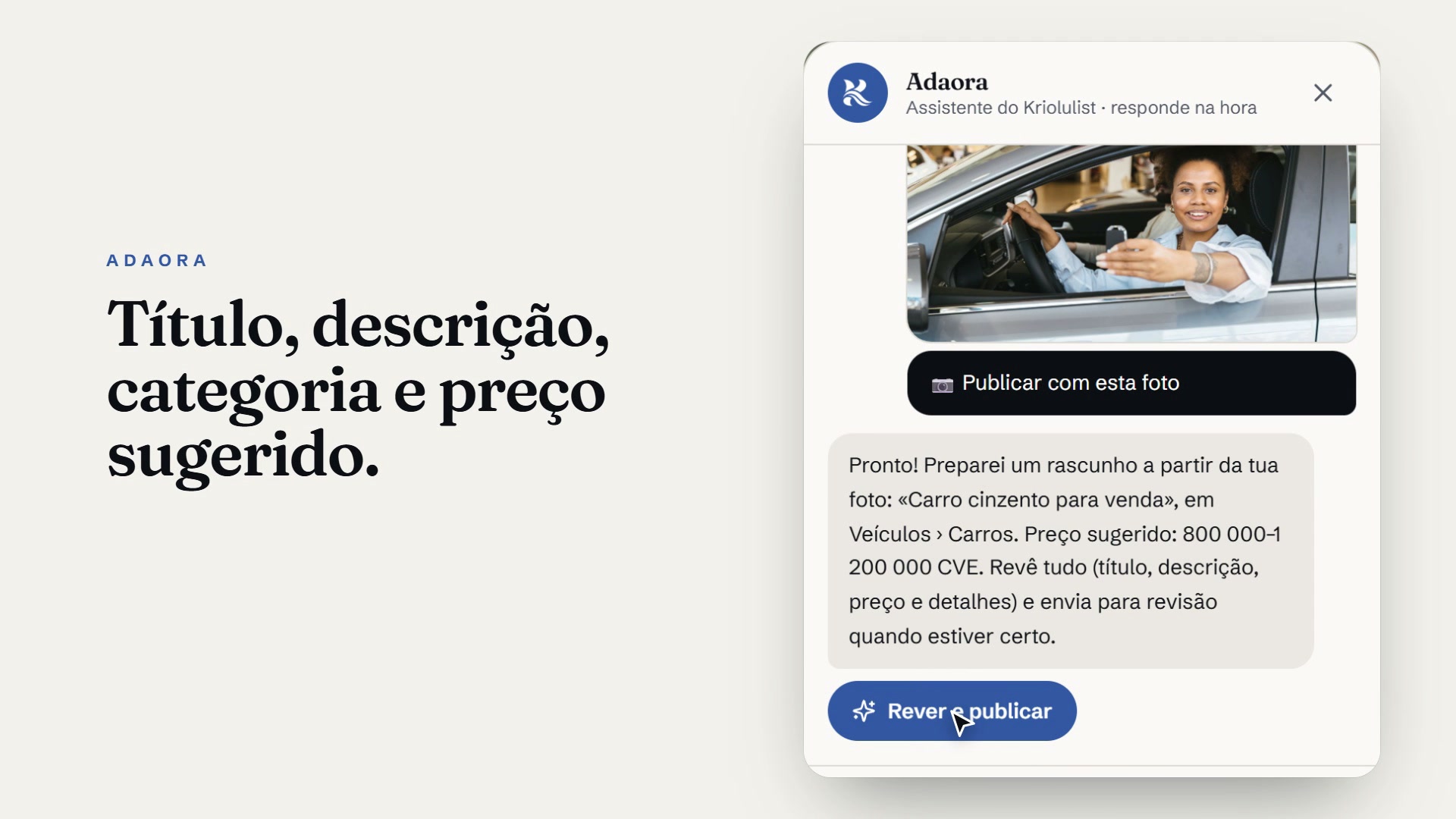
No time to write? Open Adaora (the round button in the corner of the screen) and choose “Post with a photo”.
- Send the photoTake or choose a photo of the item. You can add a title if you like.
- Adaora drafts itIn a few seconds it suggests a title, description, category, condition, a reference price in CVE and tags, and saves it all as a draft with your photo.
- Review and postTap “Review and post”. Correct anything needed (especially the price and the category's required details) and submit for review.
Adaora only suggests. You decide the final text and price, and you are always responsible for what you post.
Photos and text that sell
- Shoot in daylight, with the item filling most of the frame.
- Show several angles and any defects: it saves questions and no-shows.
- Start the title with what it is: “iPhone 13 128 GB blue”, not “Urgent sale!!!”.
- In the description, state the real condition, what's included and why you're selling.
- Set a fair price. Mark it “Negotiable” if you accept offers.
After you post
- ReviewYou get an email when the ad is approved or if it needs changes (with the reason).
- MessagesInterested people write to you in the Kriolu List chat. You can send extra photos in the conversation, up to 4 at a time.
- Confirmed deal and reviewsWhen you close a deal, tap “Confirm sale / service” in the conversation. Only then can you review each other from 1 to 5 stars.
- Sold, renew or deleteMark the ad as sold, renew it when it expires (ads last 60 days) or delete it from “My ads”.
Safety
Never pay in advance or share codes, passwords or bank details. Always meet in a busy public place and see the item before you pay.
Pets are for adoption only and donations are always free. Read the Posting rules to see what isn't allowed. If something feels wrong, use the “Report” button.
¿Listo para publicar?
Es gratis para particulares y cada anuncio se revisa antes de publicarse.